License
Activate your license in the app.
License keys are entered directly in Cadence, not here. The app validates and stores everything on your Mac.
-
1
Open Cadence
Click the Cadence icon in the menu bar, then open the main window.
-
2
Go to Settings
Click Settings in the sidebar, then select the License tab.
-
3
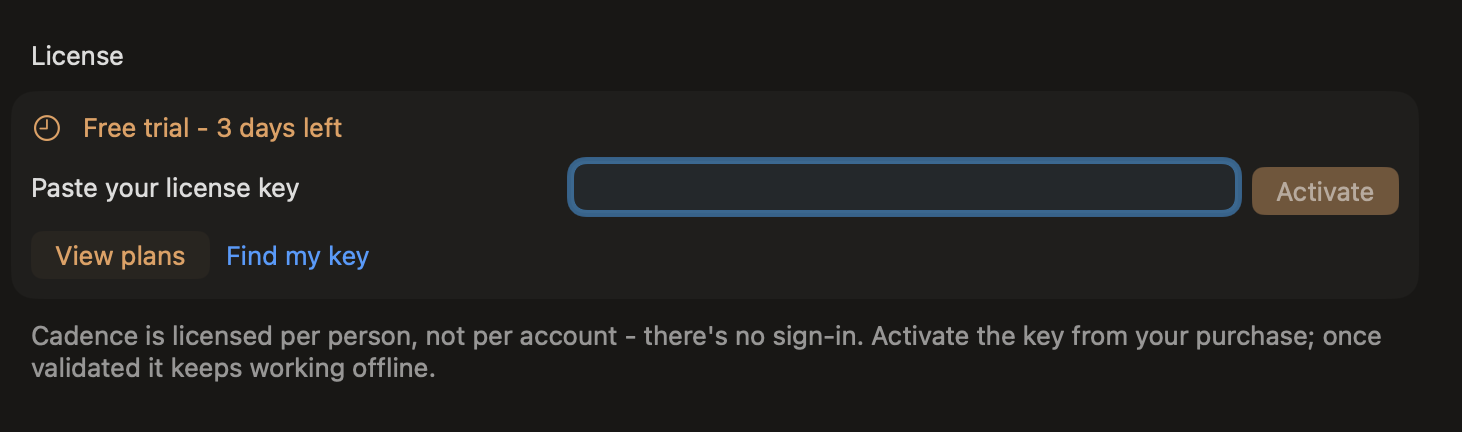
Paste your key and click Activate
Copy the key from your purchase email and paste it into the field shown below.
Can't find your key?
- Check your purchase email. It arrives instantly after checkout.
- Use the customer portal to view and copy your key at any time.
- A monthly plan that was cancelled or has a failed payment will show as inactive.
- Brand new purchase? Give it a minute, then try again.
Still stuck?
Email support@minilabs.cc and we will sort it out.